How to Add Chapters to a Sermon Video on YouTube (Free Template)
Chapters turn a 40-minute sermon into sections people can find and tap. Here are YouTube's rules, a copy-and-paste template, and a better way to name each chapter.
By FaithRank AIPublished 5 min read
A sermon runs 42 minutes. Somewhere around minute 23 is a five-minute answer to a question people type into YouTube every day. On the video page, that answer is buried in one long gray bar with no signposts.
Sermon video chapters fix that. You add a short list of timestamps and titles to the video description, starting at 00:00, and YouTube splits the progress bar into labeled sections viewers can tap. It takes about 10 minutes, and you can do it to last Sunday's video today. The same steps work for a Bible teaching video or a long podcast episode on your channel.
What are sermon video chapters, and why bother?
Chapters break one long video into sections, each with its own title and preview. For a sermon, that usually means the Scripture reading, each main point, and the response at the end. For a teaching video or podcast, it's each question or topic you cover.
They help in two places. On YouTube, a visitor can jump straight to the part they came for instead of dragging the slider and guessing. On Google, timestamps in a YouTube description can appear as "key moments" in search results, and Google says it gives priority to key moments you set yourself (Google Search Central).
Neither company promises a ranking boost for chapters, so treat them as a best practice. Making a long message easier to watch is reason enough.
How do you add chapters to a sermon video on YouTube?
Here's the process from YouTube Help:
- Sign in to YouTube Studio and select Content from the left menu.
- Click the sermon video you want to edit.
- In the description, add your timestamps and titles, one per line.
- Click Save.
For chapters to show up, the first timestamp has to be 00:00, you need at least three timestamps in ascending order, and every chapter must be at least 10 seconds long. If your channel doesn't have chapters yet, YouTube says to apply for access to advanced features.
Chapters you write replace YouTube's automatic ones, so you decide what every section is called. That matters more than most teams realize.
How should you name sermon video chapters?
Most faith channels name chapters after the outline: "Point 1," "Point 2," "Closing." That makes sense to whoever wrote the outline. It tells a visitor nothing.
Name each chapter after the question that section answers, in words a real person would type. Then run a quick test on every line: if someone searched this exact phrase, would they be glad they landed here?
Here's an illustration using a made-up sermon on worry from Matthew 6:25–34 (NIV).
Before:
00:00 Intro
03:10 Reading
06:45 Point 1
17:20 Point 2
29:05 Point 3
38:30 Closing
After:
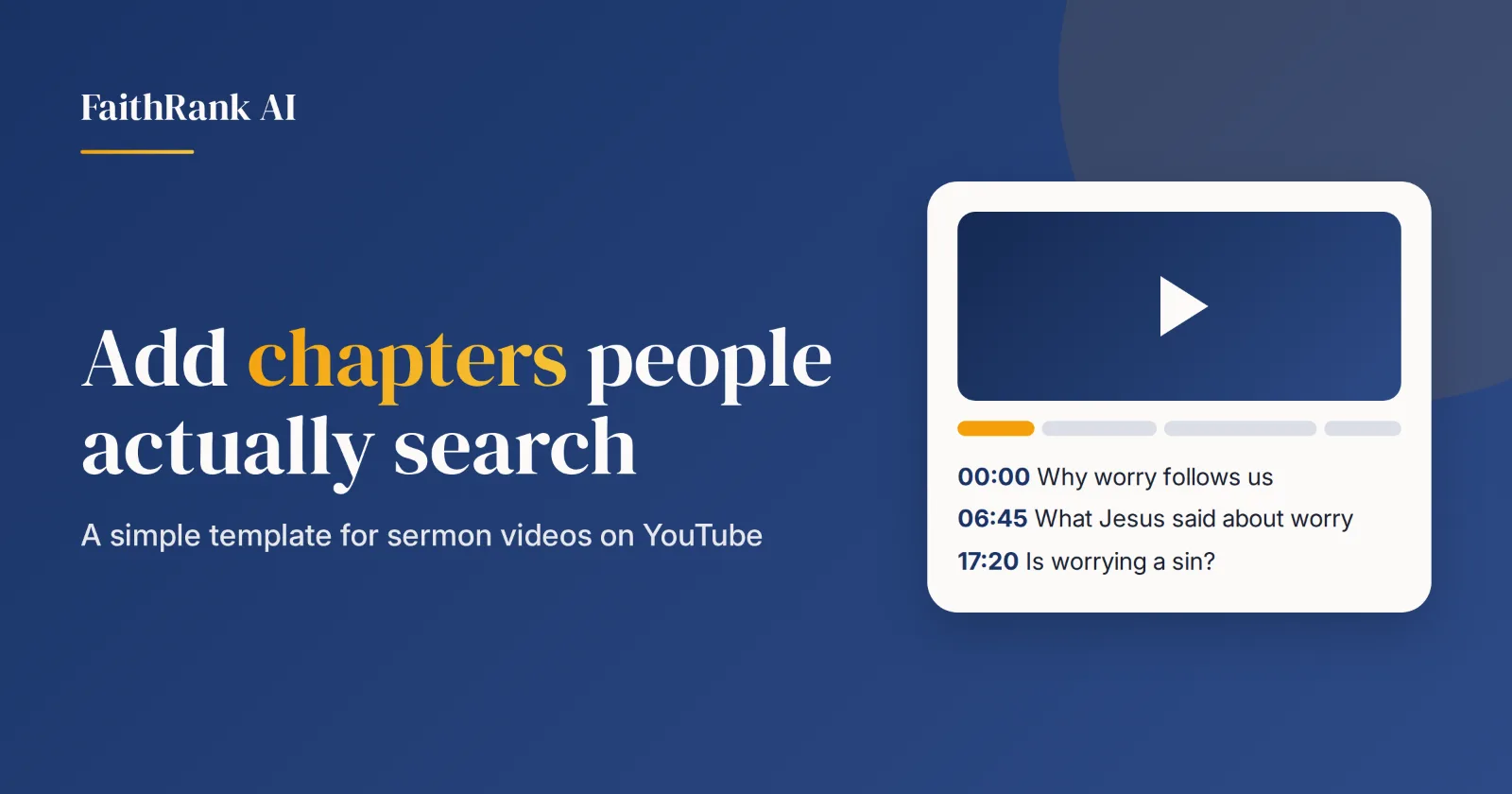
00:00 Why worry follows us everywhere
03:10 Reading Matthew 6:25–34
06:45 What Jesus said about worry
17:20 Is worrying a sin?
29:05 A simple practice for anxious nights
38:30 A prayer for anyone carrying worry today
Same video, same timestamps. The second list tells a stranger what's inside, and several lines are questions people actually ask.
Two habits help. Keep titles short enough to read at a glance on a phone. And put the Scripture reference in the reading chapter, since people search for passages by name.
A sermon video chapter template you can copy
For a sermon-only upload:
00:00 [The question this message answers]
[time] Reading [Book Chapter:Verses]
[time] [Main point 1, written as a question or an answer]
[time] [Main point 2]
[time] [Main point 3]
[time] [Prayer or response for a specific need]
For a full service replay, mark the parts people jump to or skip past:
00:00 Welcome
[time] Worship
[time] Announcements
[time] Message: [the question this message answers]
[time] Response and prayer
Place the list under the first two or three lines of your description. Those opening lines are what people see before they tap "more," so they should still say what the message is about. If you want help writing that title and opening, FaithRank AI writes SEO titles and descriptions for faith videos, which leaves your 10 minutes for the chapters.
Why aren't my sermon video chapters showing up?
When chapters don't appear, it's almost always one of these:
- No 00:00 line. Starting at 00:05, or at the first point, means no chapters at all.
- A chapter under 10 seconds. This happens when someone marks the closing prayer and the benediction separately.
- Times out of order. Usually the result of pasting last week's list and only editing half of it.
- Times from the livestream, not the replay. If you trimmed the countdown off the start, every timestamp shifted. Check each one against the final video.
YouTube also notes that chapters aren't available on channels with active strikes, so check that if everything else looks right.
Start with last Sunday
Open your most recent sermon or teaching video, play it at double speed, and jot down the time whenever the topic changes. Write the titles as questions. You'll be done before your coffee gets cold.
Then make it part of your Monday upload routine, right next to the title and thumbnail. For more on getting each video found, browse the YouTube SEO guides, or see every guide in the Faith Rank Creators Academy. New here? Start with what the Faith Rank Creators Academy is and who it's for.
The hard part was preaching or recording the message. Chapters help the right person find it.
Frequently asked questions
How many chapters should a sermon video have?
YouTube requires at least three, each at least 10 seconds long. For most sermons, five to eight chapters work well. A good rule is to start a new chapter when the topic changes, not every few sentences.
Do YouTube chapters help SEO?
Neither YouTube nor Google promises a ranking boost from chapters. Google can show timestamps from a YouTube description as key moments in search, and chapters make long videos easier to watch, so they're a solid best practice.
Why does YouTube say my video can't have chapters?
First check for a 00:00 line, at least three timestamps in order, and no chapter shorter than 10 seconds. If those are right, your channel may need access to YouTube's advanced features, and chapters aren't available on channels with active strikes.
Written by
FaithRank AI
FaithRank AI helps churches, pastors and Christian creators write faith-safe, search-friendly titles and descriptions for their videos and podcasts.
Get the weekly Faith Rank Creators Academy newsletter
One practical tip each week to help your church's videos and podcasts reach more people.